Renew Your License From Home, No Queues
Korlantas Polri offers fully digital renewal of class A and C driving licenses (SIM) through the Digital Korlantas Polri mobile app. The digital service is known as SINAR, or SIM Nasional Presisi.
"Korlantas Polri has made it easier for the public to renew licenses with the SIM Nasional Presisi app. So there is no need to come to a Satpas," said Gorontalo Police traffic director Sr. Comr. Lukman Cahyono. The method is described as more practical, transparent, and free of brokers.
Documents and Tests to Prepare
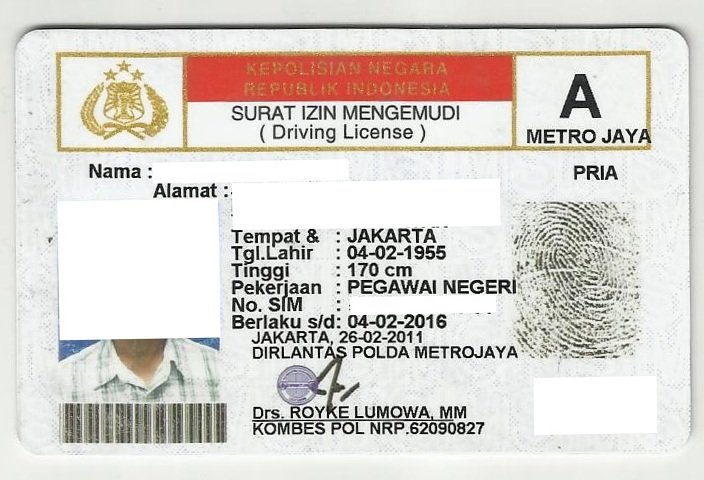
Before applying, make sure your old license is still valid — an expired license cannot be renewed and a new one must be applied for at a Satpas. Required documents are your e-ID card, a photo of the old license, a blue-background passport photo, and your signature on white paper.
Applicants must also take a physical health test via erikkes.id and a psychology test via app.eppsi.id. Both tests are done online and the results are uploaded to the app as renewal requirements.
Steps to Renew a License Online
Download the Digital Korlantas Polri app from the Play Store or App Store, register with an active phone number and OTP code, create a PIN, complete your profile with your national ID number, and verify your e-ID via a liveness photo. Then choose the SIM menu, tap "Perpanjangan SIM", and select class A or C.
Upload all documents, the health and psychology test results, choose the issuing Satpas — cross-region selection is allowed, for example picking a Satpas with shorter queues — then enter a refund bank account number and choose a delivery method.
Pay the non-tax state revenue fee via virtual account. Class A costs Rp80,000 and class C Rp75,000, excluding the health and psychology test fees. Track the transaction status in the app until the license is printed and mailed to your address via Pos Indonesia.
Kios SIM: Print It Yourself Like an ATM
Since September 25, 2026, Korlantas Polri has rolled out the Kios SIM — a self-service machine letting applicants print their own class A and C licenses after the digital renewal is complete. The service was launched for the 71st Bhayangkara Traffic Day.
Here's how: after registering the renewal via SINAR, applicants receive a QR code. Visit a Kios SIM location, scan or tap the QR code, verify the data shown on screen, then press print. The license prints automatically with no counter queue.